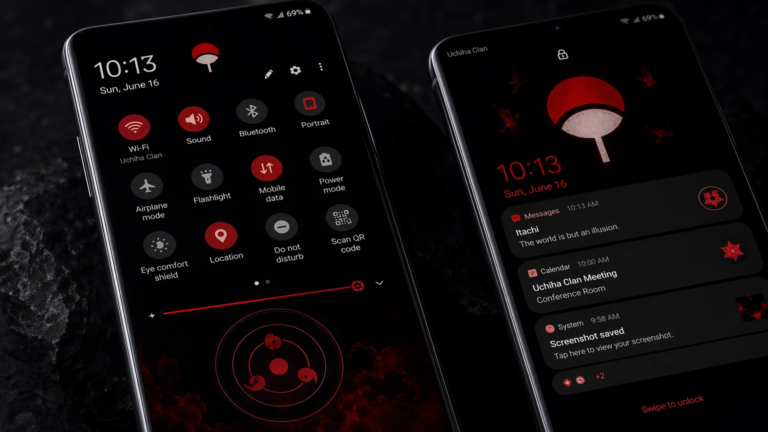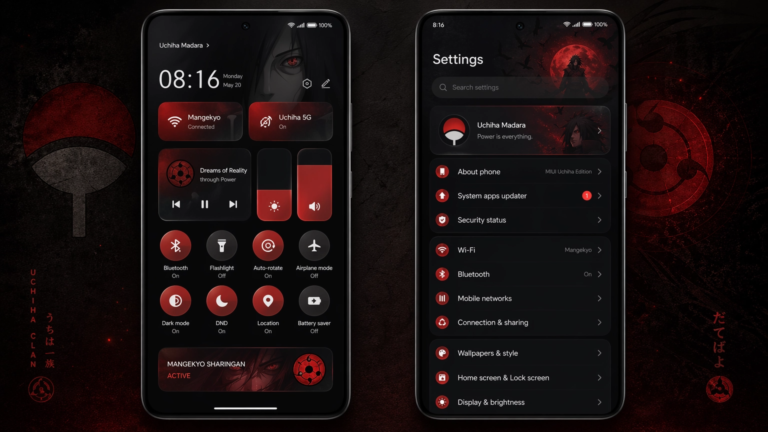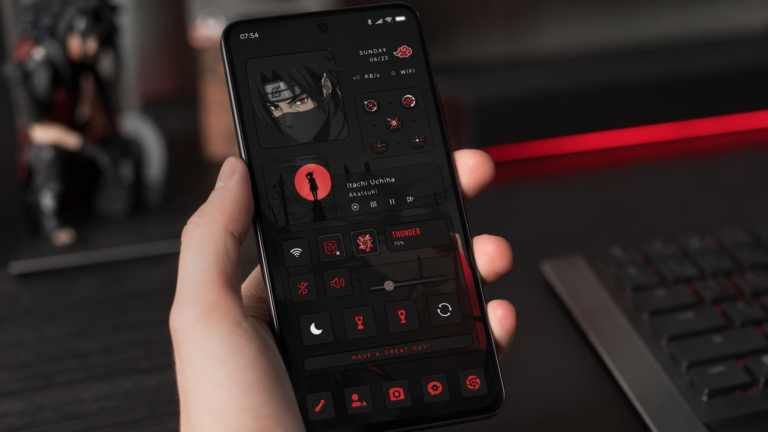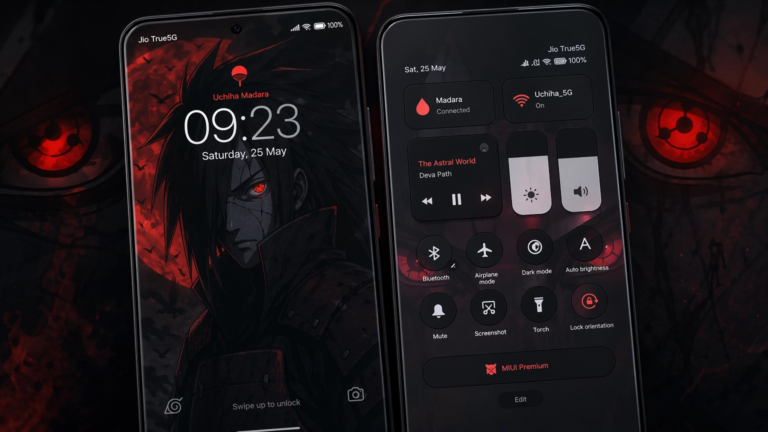
My Life V50 MIUI Theme
Elevate Your Smartphone Experience with the My Life V50 MIUI Theme
In the ever-evolving world of smartphone customization, finding a theme that truly resonates with your personal style can significantly enhance your daily digital interaction. The My Life V50 MIUI Theme emerges as a standout choice, offering a fresh and sophisticated aesthetic for users of Xiaomi, Redmi, and POCO devices. This theme is not just about changing colors; it’s about a complete visual overhaul that promises to invigorate your device’s interface.
From its meticulously designed icons to its captivating lock screen, the My Life V50 MIUI Theme provides a seamless blend of elegance and functionality. It’s crafted to deliver a premium user experience, making your smartphone feel brand new. Dive into this comprehensive guide to explore everything this remarkable theme has to offer.
Table of Contents
Unveiling the My Life V50 MIUI Theme: A Fresh Perspective
The My Life V50 MIUI Theme is more than just a cosmetic change; it’s a carefully curated design package that brings a new level of sophistication to your Xiaomi, Redmi, or POCO smartphone. Developed by designer Md Jibon, this theme has quickly gained popularity for its ability to blend aesthetic appeal with practical usability.
It offers a clean, modern, and visually pleasing interface that stands apart from typical stock themes. The attention to detail in every element ensures a cohesive and immersive user experience. This theme is designed to make your device feel premium and personalized, reflecting a refined taste.
Key Features of My Life V50 MIUI Theme
The allure of the My Life V50 MIUI Theme lies in its rich set of features, each contributing to a superior visual and interactive experience. These elements work in harmony to create a distinctive look and feel for your device.
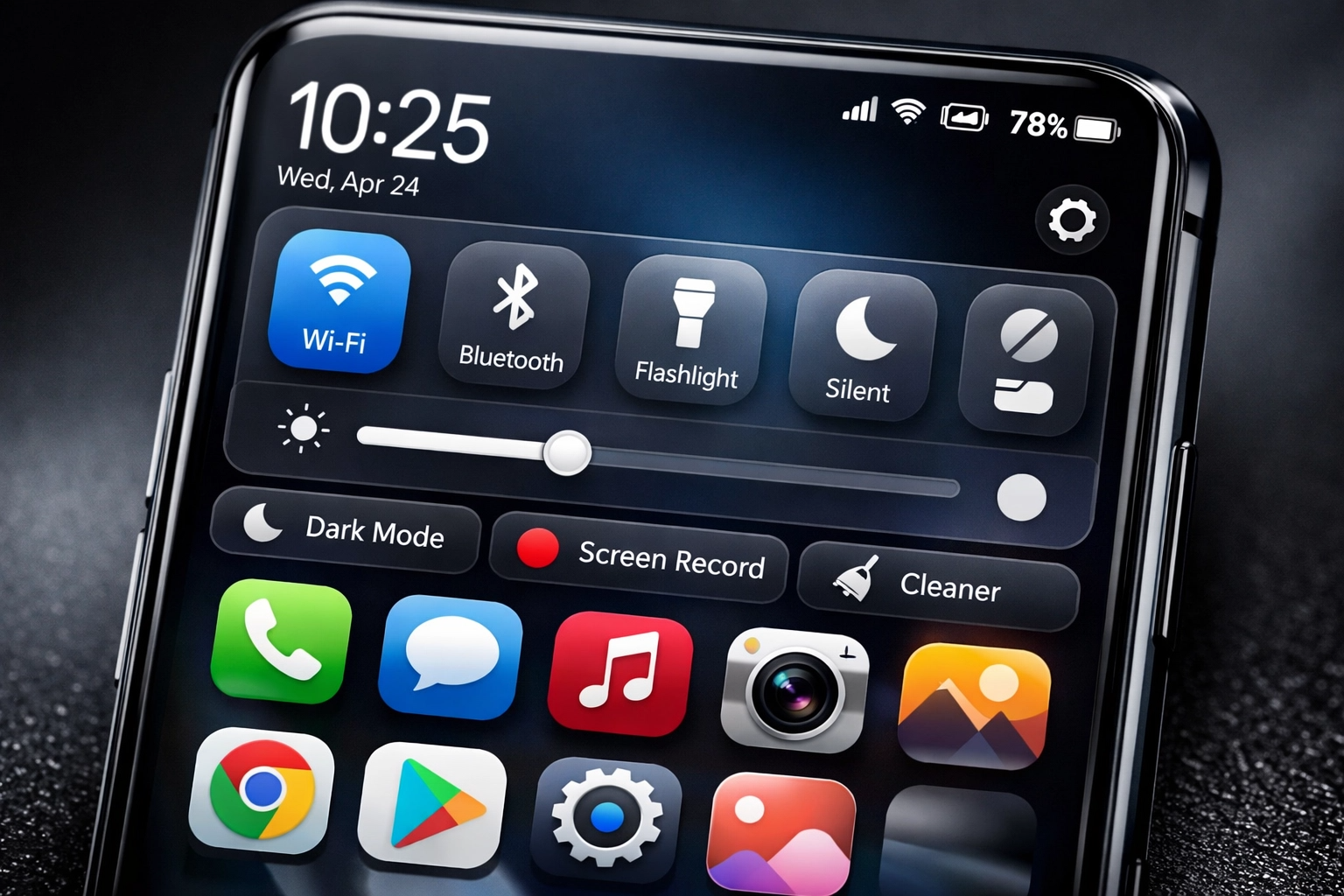
Dynamic Icons and Visual Harmony in My Life V50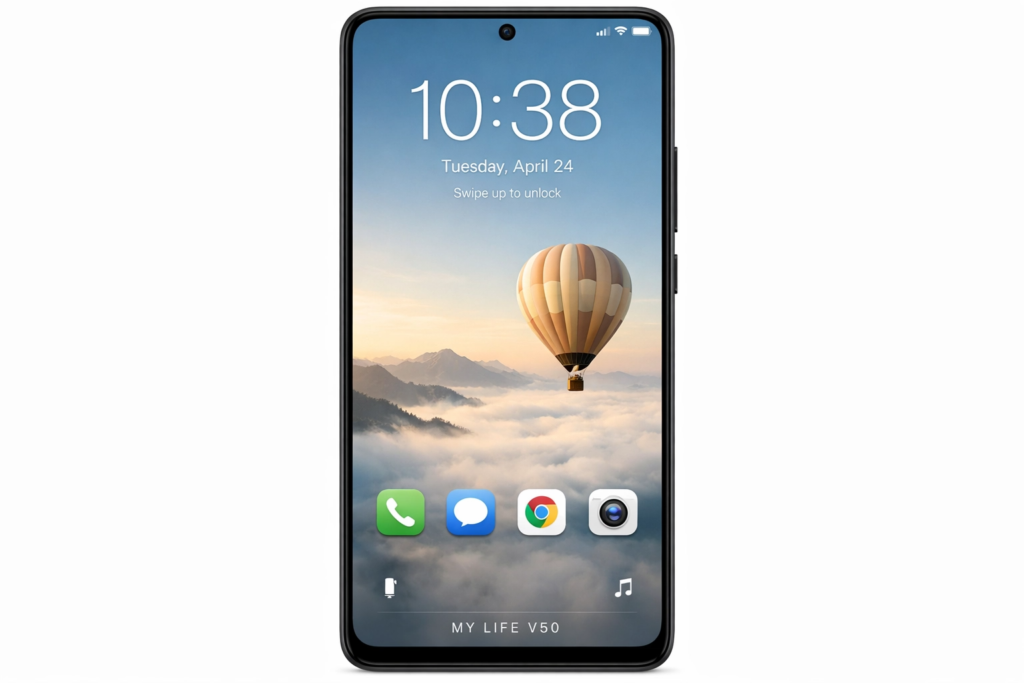
One of the most striking aspects of the My Life V50 MIUI Theme is its collection of dynamic icons. These aren’t just static images; they are thoughtfully designed to animate and respond, adding a layer of interactivity to your home screen. The icons maintain a consistent visual language, ensuring a harmonious and uncluttered appearance across your app drawer.
This theme replaces the standard MIUI icons with a fresh set that enhances readability and aesthetic appeal. The vibrant yet subtle color palette chosen for these icons complements the overall design, making navigation intuitive and visually engaging. The visual harmony created by these icons is a testament to the theme’s thoughtful design.
Captivating Lock Screen and Always-on Display of My Life V50
The lock screen of the My Life V50 MIUI Theme is a true highlight, offering both beauty and utility. It features a cool, stylish design that immediately catches the eye, often incorporating unique clock widgets and subtle animations. This initial interaction with your phone becomes a delightful experience, setting the tone for the rest of your usage.
Furthermore, the theme extends its elegance to the Always-on Display (AOD), providing essential information at a glance without compromising battery life. The AOD designs are minimalist yet informative, ensuring that your device looks sophisticated even when it’s idle. The captivating lock screen and AOD are integral to the My Life V50 experience.
Enhanced User Interface with My Life V50
Beyond icons and the lock screen, the My Life V50 MIUI Theme delivers a completely revamped user interface (UI). This includes changes to system apps, notification panels, control center, and settings menus. The UI is clean, decent, and offers a refreshing departure from the default MIUI look.
Every element, from toggles to sliders, has been redesigned to align with the theme’s overall aesthetic. This meticulous attention to detail ensures that the entire operating system feels cohesive and polished. The enhanced user interface makes daily tasks more enjoyable and visually appealing.

Transforming Your Device with My Life V50
Applying the My Life V50 MIUI Theme is akin to giving your smartphone a brand-new identity. It’s about more than just a superficial change; it’s about creating an environment that feels more personal and engaging. The theme’s ability to transform your device is one of its most compelling aspects.
Users often report a renewed sense of enjoyment and efficiency after applying this theme. The fresh wallpapers, coupled with the redesigned system elements, contribute to a smoother and more visually appealing interaction. It truly makes your device stand out from the crowd, reflecting your unique preferences.
Installation Guide: Getting the My Life V50 MIUI Theme on Your Device
Getting the My Life V50 MIUI Theme onto your Xiaomi, Redmi, or POCO device is a straightforward process, whether you’re on a stock ROM or a custom one. Follow these steps to unlock the full potential of this stunning theme.
Applying My Life V50 on Stock MIUI/HyperOS ROMs
For users running official MIUI Global Stable ROMs or HyperOS, the installation involves using the official Theme Store. First, ensure you are using a compatible browser like Firefox or the default Xiaomi browser to access the theme link. Navigate to the theme’s page, click the
“Official Theme Store Link,” and then select “Open in app” to open it within the Themes Store application. From there, you can easily download and apply the My Life V50 MIUI Theme. Remember to restart your device if any elements appear to be overlapping or not displaying correctly after application.
Installing My Life V50 on Custom MIUI ROMs
If your device is running a custom MIUI ROM, such as Xiaomi EU ROM or MIUIRoom, you can install the My Life V50 MIUI Theme using its MTZ file. Begin by downloading the MTZ theme file from a trusted source. Next, open the Theme Store app on your device, navigate to the “Themes” option, and then select “Import.” Locate and import the downloaded MTZ file. Once imported, you can apply the theme directly. A device restart is recommended to ensure all theme elements are correctly loaded and displayed, providing a flawless experience with the My Life V50 MIUI Theme.
Why Choose My Life V50 for Your MIUI Experience?
Choosing the My Life V50 MIUI Theme goes beyond mere aesthetics; it’s about optimizing your daily smartphone interaction. This theme offers a unique blend of style and performance, ensuring that your device not only looks good but also feels responsive and intuitive. Its lightweight design means it won’t bog down your system, providing a smooth user experience.
Moreover, the My Life V50 MIUI Theme is regularly updated to ensure compatibility with the latest MIUI and HyperOS versions, guaranteeing long-term usability. It’s a testament to thoughtful design, offering a consistent and enjoyable visual environment. For those who value personalization and a refined digital presence, My Life V50 is an excellent choice.

Conclusion: Embrace the My Life V50 MIUI Theme
The My Life V50 MIUI Theme stands out as a premier choice for anyone looking to revitalize their Xiaomi, Redmi, or POCO smartphone. With its elegant design, dynamic icons, captivating lock screen, and thoroughly revamped user interface, it offers a comprehensive solution for device personalization. This theme transforms your device into a reflection of your sophisticated taste, making every interaction a pleasure.
Don’t settle for a generic smartphone experience. Elevate your device with the My Life V50 MIUI Theme and discover a new level of visual appeal and functionality. Download it today and join the community of users who have already embraced this exceptional theme. Share your experience and let your smartphone truly represent your style!
Internal Link: Explore more MIUI Themes for customization
External Link: Learn more about MIUI and HyperOS
About the Author